AI Music & Song Generator
One Music PlayerMusic & Audio
4.6408.00 Reviews
- Version
- 3.1.3
- Installs
- 1.00M
- Age Rating
- Everyone
Screenshots
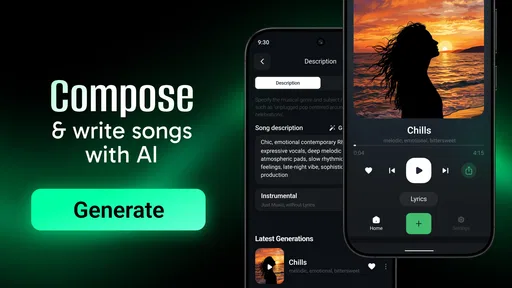
Our Review of AI Music & Song Generator
 Analysis by Appyee
For a first-time user, the appealing idea here is simple: you can turn a theme or musical direction into a starting point for a song without first learning an instrument or arranging software. I’d approach AI Music & Song Generator as a creative sketchbook, not a shortcut to a finished, personal composition. That expectation makes the first session more enjoyable: you’re exploring possibilities, then deciding what is worth keeping and developing.
What to expect from an AI music-making app
This is a music creation app from One Music Player, built around generating songs and lyrics with AI. The app’s store summary names Suno AI and Udio AI as the technologies powering it. It is free to install, with optional in-app purchases priced from $0.99 to $99.99 per item, so I’d check the purchase details in the app before committing to repeated use. Its age rating is Everyone, and it runs on Android 6.0 or later.
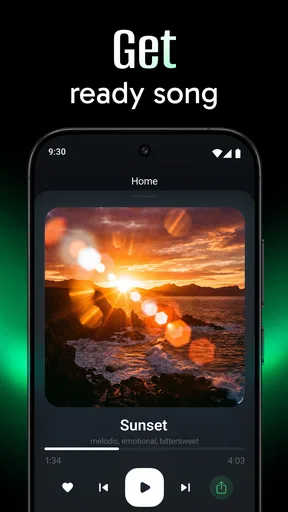
The main appeal is speed: you can begin with a broad idea rather than a blank music project. That is useful when you want to test whether a subject suits a song, explore a mood, or get a rough creative prompt to react to. The trade-off is that AI output can feel familiar or miss the specific sound you had in mind. I would treat a generated result as a draft or inspiration, not assume it will arrive ready for release.
That distinction matters if you are comparing it with a conventional audio editor or a digital audio workstation. Those tools give you more direct control over performance, timing, tracks, and sound design, but they also ask you to make more decisions and learn a more involved workflow. This app is better suited to getting an idea moving quickly; a traditional production tool is the better choice when detailed editing and repeatable control matter most.
A calm first setup and a useful first attempt
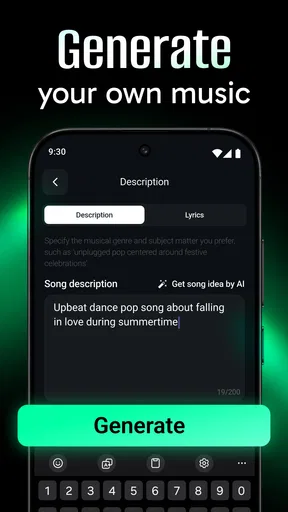
When you first open the app, give yourself a small, concrete goal instead of trying to make a complete song immediately. Pick one subject and decide what you want the result to feel like. A prompt such as “a cheerful tune for a rainy walk” gives you a clearer starting point than a long list of unrelated ideas. If the app asks you to choose a genre or mood, make one choice at a time so you can tell which direction shaped the result.
For a first meaningful try, generate a short concept around something familiar: a birthday message, a playful jingle for a personal video, or a song about the route you take home. Listen once for the overall feel, then decide what is working before changing anything. If the melody is promising but the words feel off, focus your next attempt on the theme or lyrics rather than changing every creative choice at once. That one-variable-at-a-time habit makes experimentation less random.
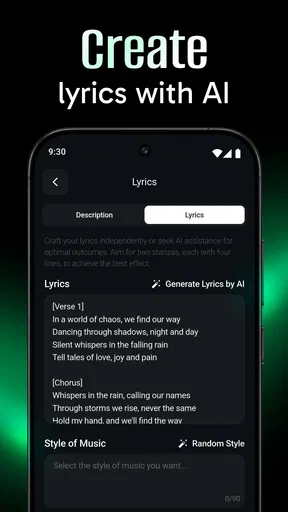
The lyric side can also help when you have a subject but no opening line. I’d use generated words as a brainstorming partner: keep a phrase that sounds natural to you, rewrite the parts that feel generic, and check that the final wording still says what you mean. If you already have lyrics, try them as the anchor for a musical idea rather than asking the app to replace your voice. The most useful result may be a prompt or phrase you would not have thought of yourself, rather than a complete song.
Where it fits into an ordinary day
Imagine you are putting together a small video for friends and want a musical idea that matches its tone. You could describe the mood, try a suitable direction, and use the result to decide whether the video needs something upbeat, reflective, or deliberately silly. Even if the generated track is not the final audio you use, it can help you settle the creative brief before you spend time searching through stock music or building a track manually.
It can also suit a songwriter who gets stuck between a lyric and a melody. Rather than waiting for the perfect tune, use the app to make a few rough starting points, then note what you like: perhaps the pacing, atmosphere, or way a phrase sits against the music. That is a practical way to turn AI output into a prompt for your own work. It is less compelling if you want precise control over every note or need a dependable, polished arrangement on the first try.
For occasional use, the free installation makes it easy to explore before deciding whether the app belongs in your routine. For frequent creation, consider how often you actually want to generate material and what the in-app purchases offer before spending. The listed purchase range is broad, so I would not treat “free” as a promise that every option or repeated use will cost nothing. A sensible first step is to try the basic workflow and only consider paying once you know what you need.
Getting to Know the App
Right off the bat, the AI Music & Song Generator impresses with its sleek and user-friendly interface. It’s like the app is saying, "Hey, come on in, creating music is fun and accessible to everyone!" Once you open it, you’re greeted with a dashboard that’s both intuitive and inviting, making it easy to navigate even if you’re a total beginner.
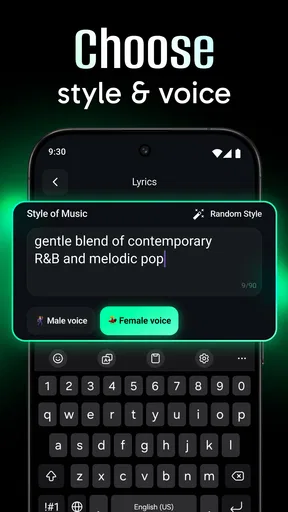
The app leverages powerful AI technology to help you generate music tracks effortlessly. Whether you’re into pop, rock, jazz, or electronic music, this app has got you covered. It offers a range of genres to choose from, and with just a few taps, you can start creating your own unique sound.
Features That Hit the Right Note
Let’s dive into the features that make this app stand out. One of my favorites is the "Auto-Compose" feature. You simply select a genre, set a mood, and the AI does its magic, crafting a melody that feels like it was tailor-made for you. It’s like having a professional composer at your fingertips.
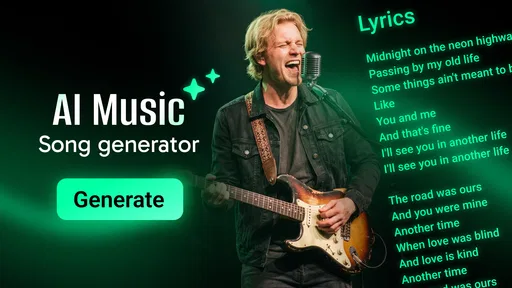
Another cool feature is the "Lyrics Generator". You can either write your own lyrics and let the app suggest improvements, or you can let the AI generate lyrics based on the theme you choose. It’s perfect for those moments when you’re inspired but can’t quite find the right words.
For those who love to tweak and experiment, the app includes a "Mixing Desk". This is where you can adjust various elements of your track, adding instruments, effects, and even background vocals. It’s surprisingly robust and offers a deep level of customization for those who want to fine-tune their creations.
Why You’ll Love It
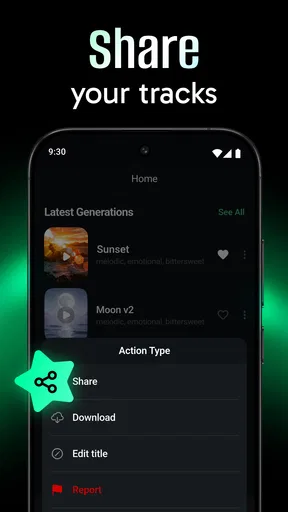
What I love about this app is how it democratizes music creation. You don’t need to be a tech wizard or a seasoned musician to create something beautiful. The AI handles the complex stuff, allowing you to focus on the creative aspect. Plus, the app’s community feature lets you share your tracks with others, get feedback, and even collaborate on new projects.
Another point worth mentioning is the app’s seamless integration with social media platforms. You can easily share your creations on Instagram, TikTok, or any platform of your choice, making it easier than ever to showcase your talent and get discovered.
Room for Improvement
No app is perfect, and while the AI Music & Song Generator is fantastic, there are a few areas that could use a bit of polish. Occasionally, the AI-generated tracks might feel a bit generic, especially if you’re aiming for something truly unique. However, with a bit of tweaking in the "Mixing Desk", you can often add that personal touch.
Another thing to note is that while the free version offers plenty of features, there are some premium options that require a subscription. It’s something to consider if you’re planning on using the app extensively.
Final Thoughts
Overall, the AI Music & Song Generator is a fantastic tool for anyone interested in music creation. It’s fun, easy to use, and packed with features that make it suitable for both beginners and more experienced users. Whether you’re looking to create a catchy tune for a video or explore songwriting as a new hobby, this app is definitely worth checking out.
So, if you’ve got a melody in your head or a song in your heart, give this app a try. Who knows? You might just discover your hidden musical talent!
Choosing your next step
If a first generation gives you something close but not quite right, change one element and listen again. A different mood may be more useful than piling extra instructions into a prompt, while revising a lyric theme can help when the words—not the musical direction—are the weak point. Save your own notes about what you liked so you can carry that idea into another attempt or into a separate editor.
One useful trade-off is convenience versus authorship. A fast generated sketch can get you past hesitation, but the more distinctive parts may still come from your choices: a specific story, an edited line, or a deliberate adjustment in the mix. I would not rely on a broad prompt alone if the song needs to sound unmistakably personal. Start with a narrow idea, then make the final creative decisions yourself.
The app is a natural fit for curious beginners, casual creators, and songwriters looking for a spark. It is less suitable for someone who needs a conventional recording studio, fine-grained production control, or a guaranteed result that matches a detailed brief. In those cases, a standard audio workstation or a hands-on instrument-and-recording workflow will offer more dependable control, even if it takes longer to learn.
AI Music & Song Generator has an average rating of 4.5 from around 15,000 ratings, and it has passed over a million installs. It was released on June 28, 2024, and version 2.0.0.4 is the current version. Those figures suggest that plenty of people have tried it, but they do not tell you whether its creative approach suits your needs; the best test is still to make one small idea and see whether the result gives you something useful to build on.
I’d recommend trying it when you want a low-pressure way to explore a song idea, especially if writing lyrics or choosing a musical direction is where you tend to get stuck. Keep your expectations practical, make one change at a time, and treat the AI as a collaborator for rough ideas rather than a replacement for your own taste. If that sounds like the kind of help you want, it is worth a try.
Verdict
Strengths of AI Music & Song Generator
- Creates music effortlessly with AI.
- Wide variety of genres to choose from.
- User-friendly interface for all levels.
- Fast processing time for music creation.
- Integrated sharing options for social media.
Limitations of AI Music & Song Generator
- Limited customization for advanced users.
- Requires stable internet connection.
- Some features are behind a paywall.
- Occasional glitches in music playback.
- Limited support for exporting formats.
Other Releases by One Music Player
View All
Universal Tv Remote-Cast to TV
House & Home4.1

HD Camera for Android
Beauty4.5

Smart Watch - Clock Wallpaper
Personalization4.6

AirTag Scan: Bluetooth Tracker
Tools4.5
Similar Picks in This Category
View All
YouTube Music
Google LLC4.4

Samsung Music
Samsung Electronics Co., Ltd.3.8

Spotify: Music and Podcasts
Spotify AB4.3

JioSaavn - Music & Podcasts
Saavn Media Limited4.3

Lark Player:Music Player & MP3
Lark Player Studio - Music, MP3 & Video Player4.6

StarMaker: Sing Karaoke Songs
SKYWORK AI PTE. LTD.4.3
Frequently Asked Questions
What is the AI Music & Song Generator app?
The AI Music & Song Generator app is a creative tool that uses artificial intelligence to compose original music and songs. Users can choose from various genres, instruments, and styles to generate unique compositions. The app is designed for musicians, creators, and anyone interested in exploring music creation without the need for formal training.
How user-friendly is the AI Music & Song Generator?
The app is designed to be intuitive, making music creation accessible to everyone. With a simple interface, users can easily select genres, instruments, and adjust parameters to generate music. It includes tutorials and tips for beginners, ensuring a smooth experience, whether you're a seasoned musician or a novice exploring musical creativity.
Can I export and share the music created with the app?
Yes, the AI Music & Song Generator allows users to export their creations in various audio formats. You can easily share your music on social media platforms or collaborate with others. The app supports high-quality audio export, ensuring that the music you create retains its quality across different sharing and playback mediums.
Is the AI Music & Song Generator app free to use?
The app offers a free version with basic features, allowing users to explore music creation. For more advanced tools and features, such as additional genres, instruments, and unlimited exports, there is a premium subscription available. This tiered approach ensures that users can choose the level of access that best suits their needs.
What kind of music can I create with the AI Music & Song Generator?
With the AI Music & Song Generator, you can create a wide range of music genres, including pop, jazz, classical, electronic, and more. The app's AI engine is versatile, allowing you to experiment with different styles and instruments, providing endless possibilities for unique and personalized musical compositions.
